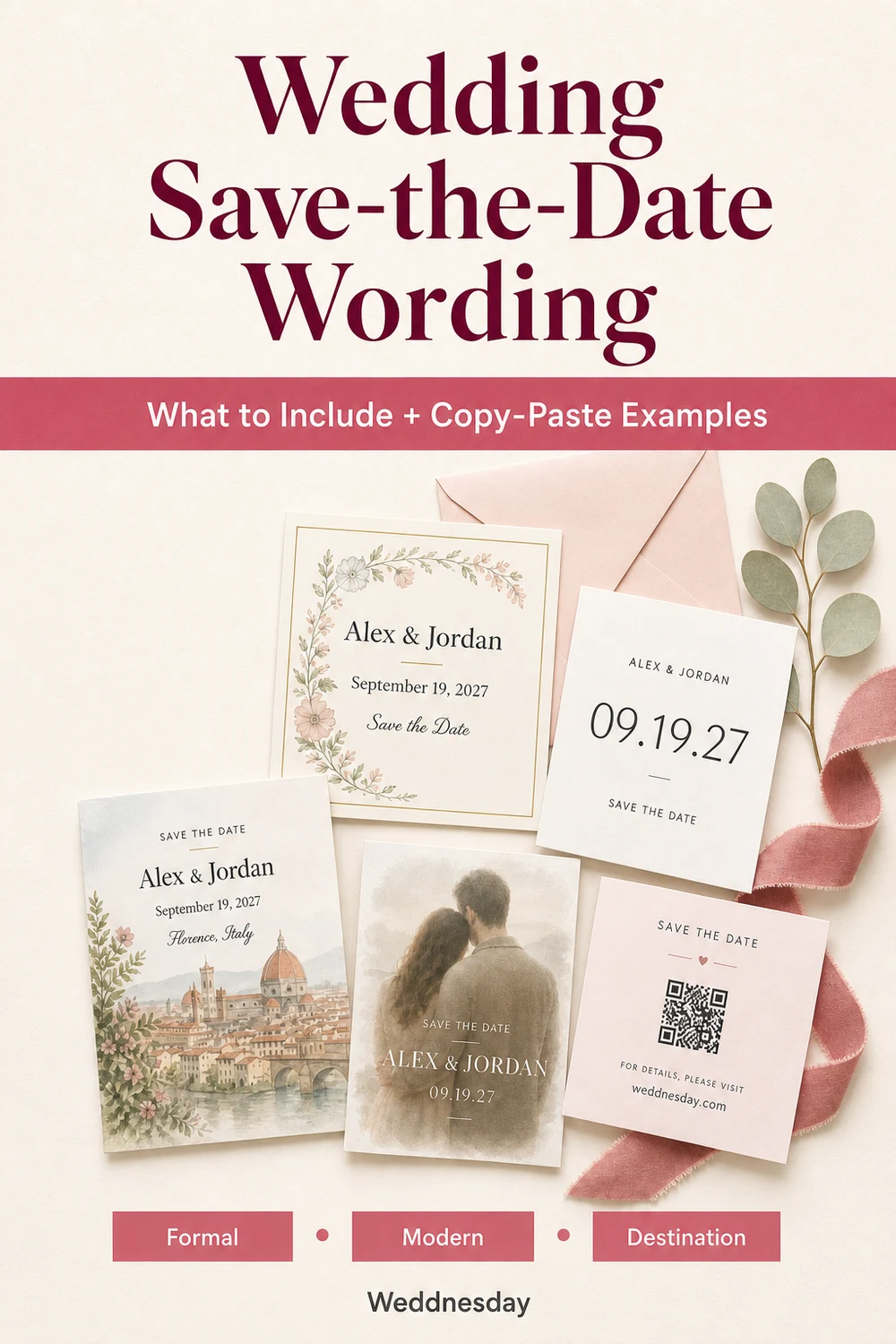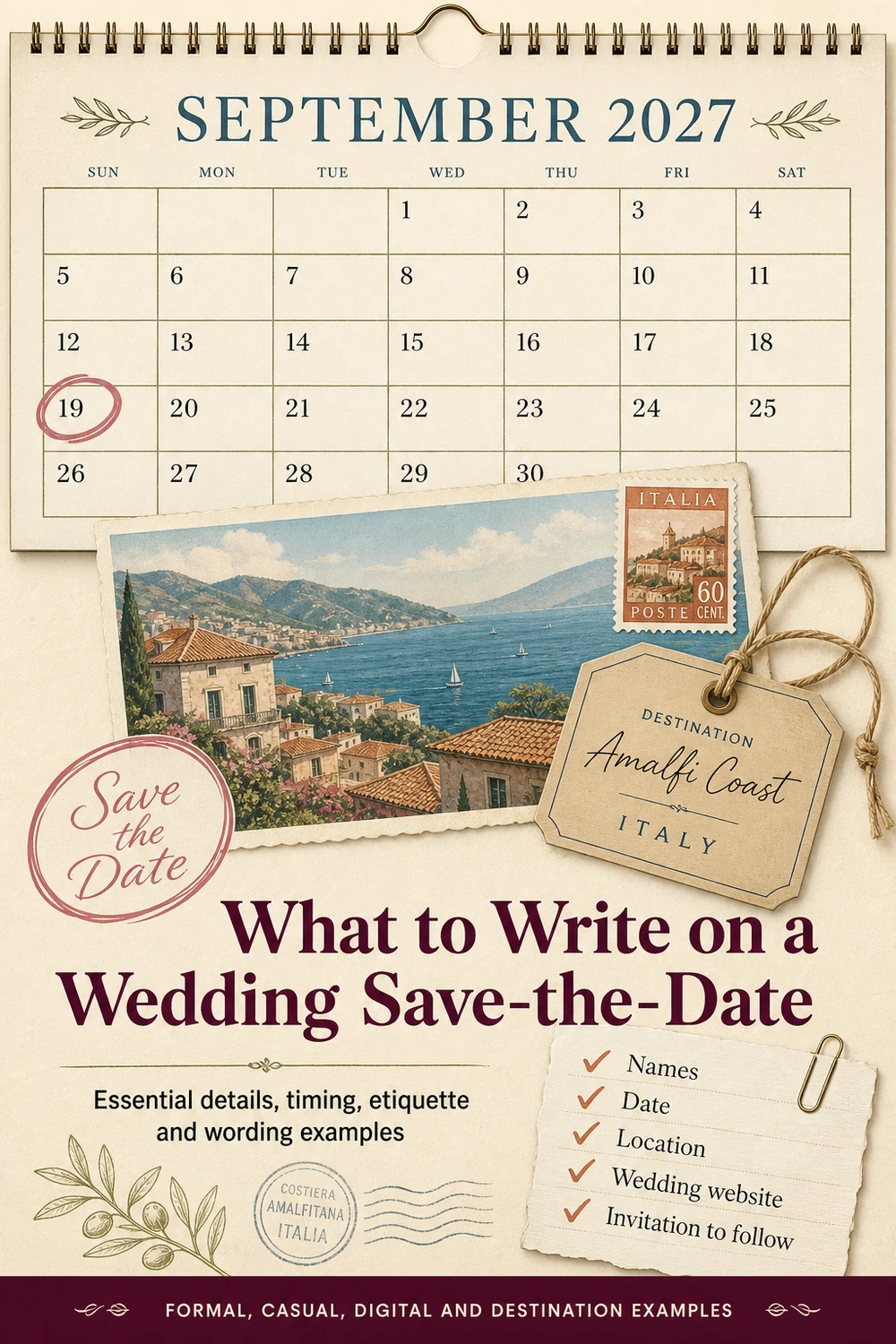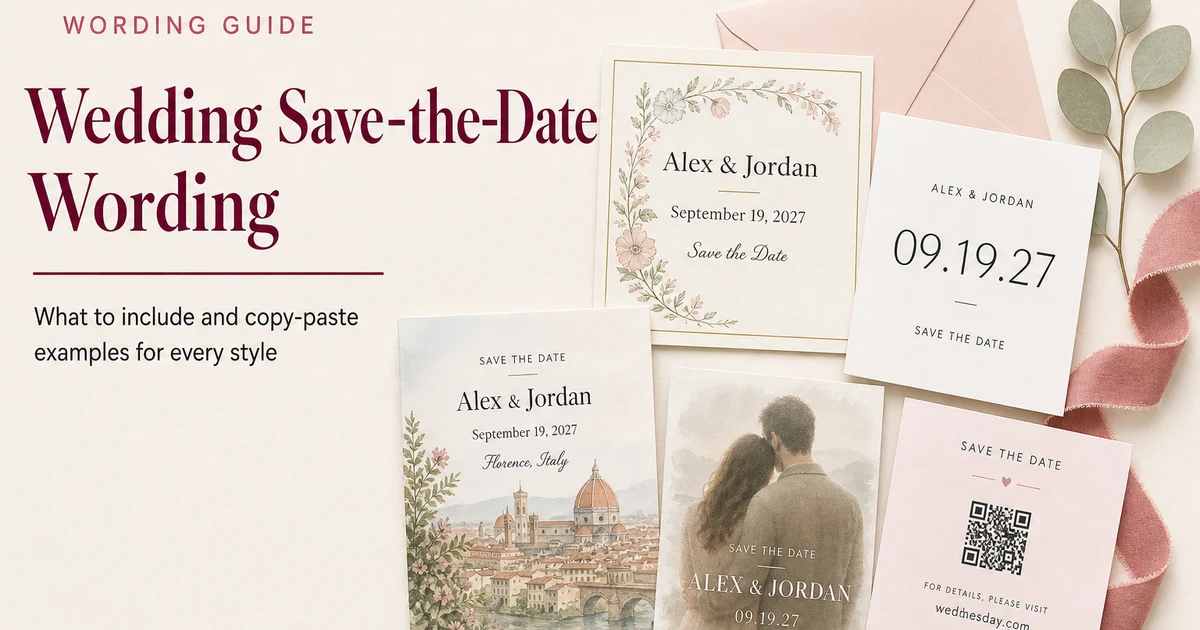
Wedding Save-the-Date Wording: What to Include and Copy-Paste Examples
A wedding save-the-date gives guests an early heads-up about your celebration before the formal invitation arrives. It does not need to explain every wedding detail. It simply needs to tell the right people who is getting married, when the wedding will happen, where it will take place, and where they can find reliable updates.
The best save-the-date wording is short, clear, and consistent with the tone of your wedding. Whether you are sending printed cards, digital announcements, photo postcards, or a design with a wedding website QR code, this guide will help you decide what to include and give you copy-paste examples for almost every wedding style.
What Is a Wedding Save-the-Date?
A save-the-date is an early wedding announcement sent to guests before the formal invitation. Its purpose is to help guests reserve the date, request time away from work, arrange childcare, and begin planning travel when necessary.
A save-the-date is not the formal invitation. You do not need to include the complete schedule, RSVP deadline, dress code, menu, registry, or every venue detail. Those can appear later on the invitation, a details card, or your wedding website.
What to Include on a Wedding Save-the-Date
Most save-the-dates only need a few essential details:
- The couple’s names: Use the names guests will recognize.
- The wedding date: Include the full date or the wedding weekend dates.
- The general location: Usually the city and state, region, or country is enough.
- A save-the-date message: Tell guests clearly that you are asking them to reserve the date.
- A note that an invitation will follow: This helps guests understand that more information is coming.
- Your wedding website: Add the URL when the site is ready for guests to visit.
A simple save-the-date can say:
Save the date
for the wedding of
[Name] and [Name]
[Wedding date]
[City, State]
Formal invitation to follow
[Wedding website]
What Not to Put on a Save-the-Date
Save-the-dates work best when they remain easy to understand. Avoid adding details that are still changing or that guests do not need yet.
- An RSVP request: Unless you are intentionally collecting early responses for a destination wedding or a small celebration, formal RSVPs usually come later.
- An unconfirmed venue: Use the city or region until the venue contract is final.
- A detailed schedule: Welcome parties, brunches, and shuttle times belong on the wedding website or formal invitation suite.
- Registry information: Keep gift details on your wedding website rather than placing them on the save-the-date.
- Unconfirmed guest options: Do not suggest that guests may bring a plus-one or children unless you have made that decision.
- Too much fine print: Important information should remain readable on both printed and digital designs.
For a complete guide to the next stage of your stationery, read Wedding Invitation Wording: What to Write and Copy-Paste Examples for Every Style.
When Should You Send Save-the-Dates?
For many local weddings, couples send save-the-dates about six to eight months before the celebration. Sending earlier can be helpful when the wedding falls during a holiday weekend, a busy travel season, or a time when guests may need to arrange accommodation well in advance.
For a destination wedding, international celebration, or wedding that requires significant travel, aim to give guests approximately nine to twelve months of notice when possible. Guests may need time to compare flights, renew passports, request leave, reserve hotel rooms, and coordinate family responsibilities.
Only send save-the-dates after the wedding date and general location are confirmed. Once someone receives one, they will reasonably understand that they are invited to the wedding.
Traditional Save-the-Date Wording
Traditional wording is simple, polished, and restrained. It works well for formal venues, classic stationery suites, religious ceremonies, and celebrations with a timeless style.
Save the date
for the wedding of
[Name] and [Name]
[Day, date]
[City, State]
Formal invitation to follow
Please save the date
to celebrate the marriage of
[Name] and [Name]
[Wedding date]
[City, State]
Invitation to follow
Kindly save the date
for the wedding celebration of
[Name] and [Name]
[Wedding date]
[Location]
Formal invitation forthcoming
Modern Save-the-Date Wording
Modern wording can feel direct and minimal while still giving guests every essential detail.
Save our date
[Name] and [Name]
are getting married
[Wedding date]
[City, State]
Details to follow
It’s official
[Name] and [Name]
[Wedding date]
[Location]
Invitation coming soon
The date is set
[Name] and [Name]
[Wedding date]
[City, State]
Save the date and celebrate with us
Casual Save-the-Date Wording
Casual wording suits relaxed weddings, backyard celebrations, restaurant receptions, and couples who want their stationery to sound natural and conversational.
We’re getting married
Save the date
[Name] and [Name]
[Wedding date]
[City, State]
More details coming soon
Clear your calendar
We’re tying the knot
[Name] and [Name]
[Wedding date]
[Location]
Invitation to follow
We picked a date
and we hope you’ll celebrate with us
[Name] and [Name]
[Wedding date]
[City, State]
Romantic Save-the-Date Wording
Romantic wording can feel warm and personal without becoming too long for the design.
Our next chapter begins
[Name] and [Name]
are getting married
[Wedding date]
[City, State]
Save the date
Forever starts here
Please save the date for
[Name] and [Name]
[Wedding date]
[Location]
Invitation to follow
With full hearts
we invite you to save the date
for the wedding of
[Name] and [Name]
[Wedding date]
[City, State]
Playful and Fun Save-the-Date Wording
A playful save-the-date can show personality while keeping the practical details obvious.
Plot twist
We’re getting married
[Name] and [Name]
[Wedding date]
[City, State]
Save the date
We said yes
Now save the date
[Name] and [Name]
[Wedding date]
[Location]
Celebration details coming soon
Eat, drink, and watch us get married
[Name] and [Name]
[Wedding date]
[City, State]
Invitation to follow
Good news travels fast
We’re getting married
[Name] and [Name]
[Wedding date]
[Location]
Mark your calendar
Minimalist Save-the-Date Wording
Minimalist designs rely on visual space and concise wording. Make sure the couple’s names and date remain the most prominent elements.
[Name] and [Name]
[Wedding date]
[City, State]
Save the date
Save the date
[Date]
[Name] and [Name]
[Location]
[Name] and [Name]
are getting married
[Date]
Details to follow
Destination Wedding Save-the-Date Wording
Destination save-the-dates should identify the location clearly and direct guests to travel information as early as possible. Your wedding website can hold accommodation suggestions, airport guidance, passport reminders, and a developing event schedule.
Pack your bags
[Name] and [Name]
are getting married in
[Destination]
[Wedding date]
Save the date
Travel details at [Wedding website]
Join us in [Destination]
for the wedding of
[Name] and [Name]
[Wedding date]
Invitation and travel details to follow
[Wedding website]
Our greatest adventure begins in [Destination]
Save the date for
[Name] and [Name]
[Wedding date]
Plan your trip at [Wedding website]
Meet us in [Destination]
We’re getting married
[Name] and [Name]
[Wedding weekend dates]
Travel information: [Wedding website]
For help deciding what guests need before booking, use the Destination Wedding Website Must-Haves Guide.
Wedding Weekend Save-the-Date Wording
When your celebration includes several days, list the overall weekend dates rather than placing every event on the save-the-date. The wedding website can explain which activities each guest is invited to attend.
Save our wedding weekend
[Name] and [Name]
[Friday date] through [Sunday date]
[City, State]
Schedule and invitation to follow
A weekend of celebration awaits
Save the dates
[Weekend dates]
for the wedding of
[Name] and [Name]
[Location]
Details at [Wedding website]
Join us for our wedding weekend
[Name] and [Name]
[Weekend dates]
[Destination]
More information coming soon
Digital Save-the-Date Wording
A digital save-the-date may be sent by email, text, messaging app, or a private online announcement. Because guests can tap a link immediately, digital formats work especially well with a wedding website.
Save the date
[Name] and [Name] are getting married
[Wedding date]
[City, State]
Visit [Wedding website] for updates
Formal invitation to follow
We have a date
[Wedding date]
[Name] and [Name]
[Location]
Tap here for wedding details: [Wedding website]
Mark your calendar
We’re getting married on [Wedding date]
in [City, State]
More details: [Wedding website]
When sending a digital announcement, include a short personal message outside the design so guests recognize the sender and understand why they are receiving the link.
Save-the-Date Wording with a Wedding Website
Your wedding website can begin as a simple landing page with your names, date, location, and a short welcome message. You can add RSVP, travel, accommodation, schedule, registry, and FAQ information as planning progresses.
Keep the wording beside the URL direct:
- Wedding details: [Wedding website]
- Visit our wedding website: [Wedding website]
- Travel information and updates: [Wedding website]
- Follow our wedding plans: [Wedding website]
- Find celebration details at: [Wedding website]
Before sharing the link, make sure the site works on mobile, the date is correct, and any private information is protected appropriately. The Wedding Website Checklist can help you review the essentials.
Save-the-Date Wording with a QR Code
A QR code can direct guests to your wedding website without requiring them to type a long address. Place the code where it has enough white space to scan easily, test it from a printed proof, and include the written website address as a backup.
Use a short label that explains what the QR code opens:
- Scan for wedding details
- Scan to visit our wedding website
- Scan for travel information and updates
- Our plans are taking shape—scan for details
- Save the date and scan to learn more
For printing and placement tips, read the Wedding Website QR Code Guide.
Photo Save-the-Date Wording
When an engagement photo fills most of the design, the wording should remain short so it does not compete with the image.
Save the date
[Name] and [Name]
[Wedding date]
[Location]
We’re getting married
[Wedding date]
[Name] and [Name]
Invitation to follow
One unforgettable day
[Wedding date]
[Name] and [Name]
[City, State]
Choose a photo with enough open space for readable text. Avoid placing small lettering over a detailed background, and check that names and dates remain clear at the final printed or mobile size.
No-Photo Save-the-Date Wording
A no-photo design can use typography, illustration, a monogram, a venue sketch, a map, or decorative stationery details as the main visual element.
Please save the date
[Name] and [Name]
[Wedding date]
[City, State]
Formal invitation to follow
The date is set
[Name] and [Name]
[Wedding date]
[Location]
[Wedding website]
Mark your calendar
for the wedding celebration of
[Name] and [Name]
[Wedding date]
[City, State]
Elopement Celebration Save-the-Date Wording
Couples who are marrying privately and celebrating with guests later should make the purpose of the event clear. Use “celebration,” “reception,” or “post-elopement party” rather than suggesting that guests are being invited to the private ceremony.
We’re eloping
and celebrating with you afterward
Save the date for the reception of
[Name] and [Name]
[Celebration date]
[Location]
Invitation to follow
We’re making it official in private
then celebrating with everyone we love
Save the date
[Name] and [Name]
[Celebration date]
[City, State]
We said yes to a small ceremony
and a big celebration
Join us on [Celebration date]
[Name] and [Name]
[Location]
Reception-Only Save-the-Date Wording
If guests are being invited to the reception but not the ceremony, say so before they begin making assumptions about the event.
Save the date
for the wedding reception of
[Name] and [Name]
[Date]
[City, State]
Invitation to follow
We’re getting married in a private ceremony
Please save the date for our celebration
[Name] and [Name]
[Reception date]
[Location]
Join us to celebrate our marriage
[Name] and [Name]
[Reception date]
[City, State]
Details to follow
Multicultural and Bilingual Save-the-Date Wording
For a multilingual guest list, you can place both languages on one card, create separate language versions, or keep the printed design concise and provide full translated details on your wedding website.
Use equivalent information in each language so guests receive the same essential message. Keep names, dates, locations, and website addresses consistent across every version.
A flexible bilingual structure is:
[Save-the-date phrase in language one]
[Equivalent phrase in language two]
[Name] and [Name]
[Wedding date]
[City, Country]
[Invitation-to-follow line in both languages]
[Wedding website]
Ask a fluent speaker to review the final wording rather than relying only on a literal translation. Cultural context, name order, date format, and levels of formality may differ between languages.
Save-the-Date Wording When Parents Are Hosting
Unlike a formal wedding invitation, a save-the-date does not usually need a complete host line. However, families may be included when that wording feels meaningful or culturally appropriate.
Together with their families
[Name] and [Name]
invite you to save the date
[Wedding date]
[City, State]
Formal invitation to follow
The families of
[Name] and [Name]
joyfully ask you to save the date
for their wedding celebration
[Wedding date]
[Location]
With the love of their families
[Name] and [Name]
are getting married
[Wedding date]
[City, State]
Invitation to follow
Should You Include “Invitation to Follow”?
Including “formal invitation to follow,” “invitation to come,” or “details to follow” is helpful but not mandatory. The phrase reassures guests that they have not missed the main invitation and that more information will arrive later.
Alternatives include:
- Formal invitation to follow
- Invitation to follow
- Celebration details coming soon
- More information to come
- Details at [Wedding website]
- Full invitation forthcoming
Should You Ask Guests to RSVP to a Save-the-Date?
Most save-the-dates do not request a formal RSVP. Their purpose is to reserve the date, while the invitation or wedding website RSVP form collects the official response later.
An early interest form may be useful for a destination wedding, cruise wedding, or multi-day celebration when you need approximate travel numbers. Make it clear that you are collecting preliminary information rather than a final RSVP.
Example: We are beginning to plan travel and accommodation for our wedding weekend. Please visit [Wedding website] to share your preliminary plans. A formal invitation and RSVP will follow.
When it is time to build the final form, use Wedding RSVP Questions: What to Ask Guests on Your Wedding Website.
Do Save-the-Dates Need Plus-One or Children Wording?
A save-the-date should only go to people you intend to invite. Addressing can help communicate who is included, but the limited space on a save-the-date is not always the best place to explain plus-ones, children, or adults-only plans.
When your guest list is final, address each envelope or digital message to the invited people by name. Avoid vague wording such as “and guest” unless that guest is genuinely included.
More sensitive explanations can appear later on your invitation, RSVP page, or wedding website. For clear examples, read Who Is Invited? Wedding Website Wording for Plus-Ones, Children, and Named Guests.
Can You Send a Save-the-Date by Text or Email?
Yes. Digital save-the-dates are practical for couples who want fast delivery, international reach, lower stationery costs, or an easy link to their wedding website.
Use a recognizable sender name and accompany the design with a brief personal message:
Hi [Name], we’re excited to share that we’re getting married on [date] in [location]. Please save the date. Our formal invitation will follow, and we’ll keep wedding updates at [Wedding website].
For older relatives or guests who may miss digital messages, consider a printed card or personal follow-up. The goal is not to use one format for everyone; it is to make sure every invited guest receives and understands the information.
What Happens If the Date or Location Changes?
If plans change after save-the-dates have been sent, tell guests as soon as the new information is confirmed. Update the wedding website first, then send a direct email, text, digital card, or mailed change-the-date notice.
Change-the-date example:
Our plans have changed
Please save our new date
[Name] and [Name]
[New wedding date]
[Location]
Updated details at [Wedding website]
Location-change example:
Same date, new location
We can’t wait to celebrate with you
[Name] and [Name]
[Wedding date]
[New city or venue]
Updated information: [Wedding website]
Do not rely only on guests noticing the update online. Contact everyone who received the original save-the-date directly.
How to Make Save-the-Date Wording Easy to Read
- Lead with the date: It should be one of the largest elements on the design.
- Use recognizable names: Avoid initials alone if some guests may not immediately know who is getting married.
- Keep the location clear: Spell out an unfamiliar city, region, or country.
- Limit decorative scripts: Use highly stylized fonts for short headings, not essential details.
- Check contrast: Text should stand out clearly from photographs and backgrounds.
- Test the final size: Review a printed proof and open digital designs on a phone.
- Proofread every detail: Confirm names, date, location, website address, and QR code before sending.
A Simple Save-the-Date Formula
When you are unsure where to begin, use this five-part formula:
- Opening: Save the date, mark your calendar, or we’re getting married.
- Names: [Name] and [Name].
- Date: The confirmed wedding date or weekend.
- Location: City, state, region, or country.
- Next step: Invitation to follow or wedding website details.
Copy-paste formula:
[Opening phrase]
[Name] and [Name]
[Wedding date]
[General location]
[Invitation-to-follow phrase]
[Wedding website]
Save-the-Date Checklist Before You Send
- Confirm that the wedding date is final.
- Confirm the city, region, or destination.
- Finalize the first group of guests who will definitely be invited.
- Check the spelling and order of both names.
- Make the wedding date easy to see.
- Add “invitation to follow” or an equivalent phrase.
- Publish and test the wedding website before adding the URL.
- Test any QR code from the printed proof.
- Check readability on a phone if sending digitally.
- Ask another person to proofread the final design.
- Order or prepare a few extras for guest-list additions.
- Record who received each save-the-date.
Build Your Guest Information Around One Reliable Link
A save-the-date begins the guest communication journey, but your wedding website keeps that information useful as plans develop. Start with your names, date, location, and welcome message. Then add travel, accommodation, schedule, RSVP, dress code, registry, and FAQ details when they are confirmed.
Weddnesday helps couples create a guest-friendly wedding website, share one clear link, collect online RSVPs, and update information without reprinting stationery. You can also use the Wedding Website Timeline to decide what to publish at each planning stage and the Wedding Invitation Details Card Wording Guide when your formal invitations are ready.
FAQ
What should a wedding save-the-date say?
A save-the-date should include the couple’s names, wedding date, general location, and a short message asking guests to reserve the date. You can also add “formal invitation to follow” and your wedding website.
How far in advance should save-the-dates be sent?
Many couples send them about six to eight months before a local wedding. For destination weddings, international travel, holiday weekends, or busy travel seasons, approximately nine to twelve months of notice may be more helpful.
Do you put the venue on a save-the-date?
You may include the venue if it is confirmed, but the city and state or general destination is usually enough. Do not print a venue that has not been finalized.
Should a wedding website go on the save-the-date?
Yes, when the website is published and ready for guests. At minimum, it should show the couple’s names, date, location, and any early travel details guests need.
Do save-the-dates need RSVP information?
Usually not. Formal RSVP instructions generally arrive with the invitation or become available on the wedding website later. Destination weddings may use a clearly labeled preliminary travel form.
Do save-the-dates need to say “invitation to follow”?
No, but the phrase is helpful because it tells guests that complete invitation and RSVP information will arrive later.
Can you send save-the-dates digitally?
Yes. Digital save-the-dates can be sent by email, text, or messaging app. Include a recognizable personal message and follow up with guests who may not regularly use digital communication.
Can you put a QR code on a save-the-date?
Yes. Link it to your wedding website, label it clearly, leave enough white space around it, test it at the final size, and include the written URL as a backup.
Should registry information go on a save-the-date?
No. Keep registry information on your wedding website. The save-the-date should focus on helping guests reserve the date and begin necessary travel planning.
Can you send a save-the-date before booking the venue?
Only send it when the date and general location are certain. You do not need a final venue to list the city or region, but avoid sending information that may soon change.
Does everyone who receives a save-the-date need an invitation?
Yes. A save-the-date communicates that the recipient is included on the wedding guest list. Send one only when you are confident that person will receive a formal invitation.
What happens if the wedding date changes?
Update your wedding website and contact every recipient directly with the new date. Use a clear subject or heading such as “Change the Date” so the correction is not missed.
Save These Guides for Later
Wedding Invitation Wording Examples
Wedding Invitation Details Card Wording
Destination Wedding Website Must-Haves
Stay Connected
Follow Weddnesday for practical wedding planning advice, guest-friendly wording, invitation ideas, and wedding website inspiration.
Save This on Pinterest