Wedding RSVP with QR Code: Printable Online RSVP for Paper Invitations
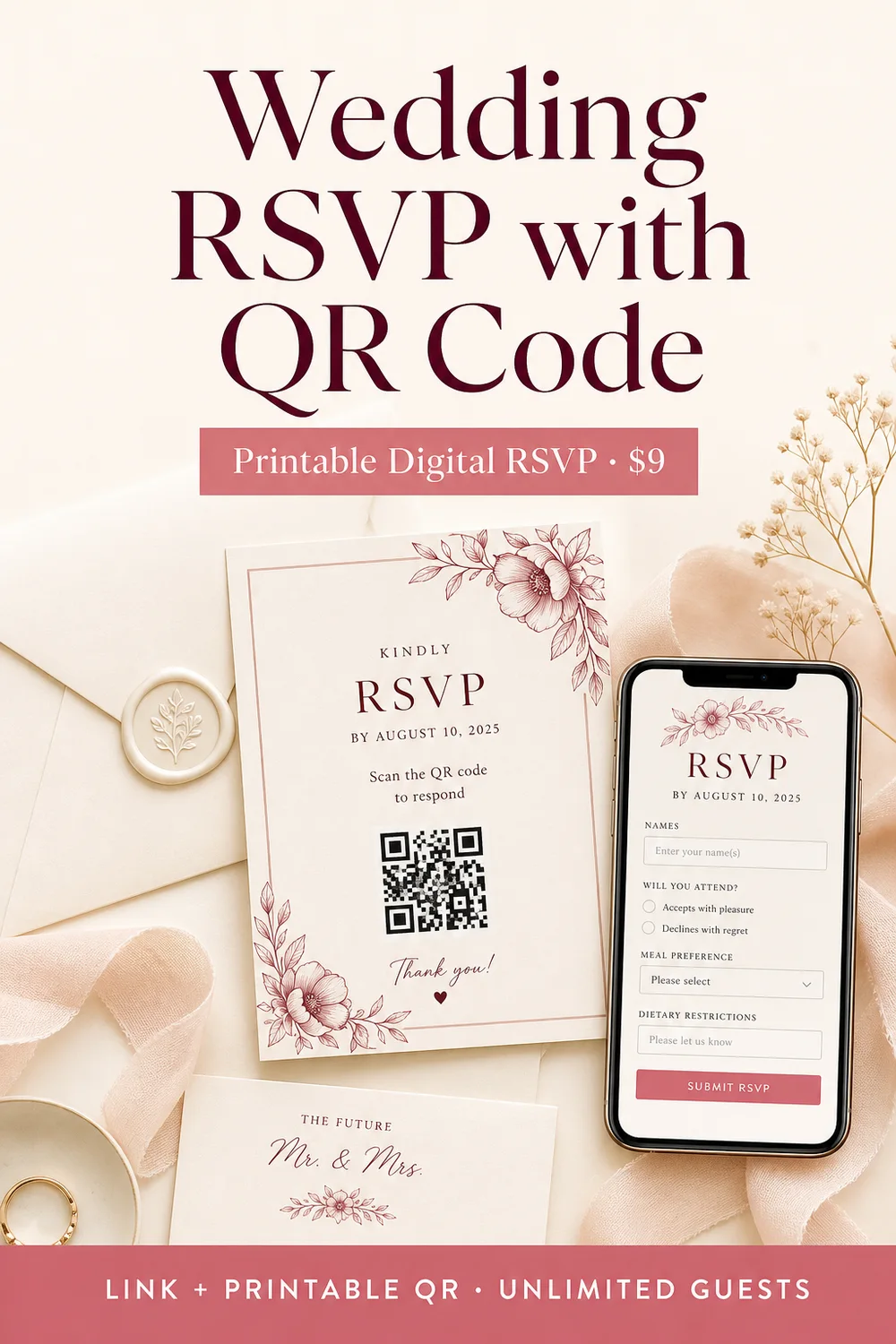
A wedding RSVP with QR code lets guests reply online by scanning a code on your paper invitation — or by opening a short link on their phone. No mailed reply card required. No full wedding website required either.
Weddnesday’s RSVP with QR is a standalone online wedding RSVP form with a shareable guest link and a printable QR code. You customize the form, draft it free, then pay $9 one time to activate unlimited guest responses, dashboard tracking, email alerts, and CSV/PDF export.
This guide explains what a QR code wedding RSVP is, who it is for, how it works, what to print on your invitations, and how it compares to a full wedding website RSVP.
What Is a Wedding RSVP with QR Code?
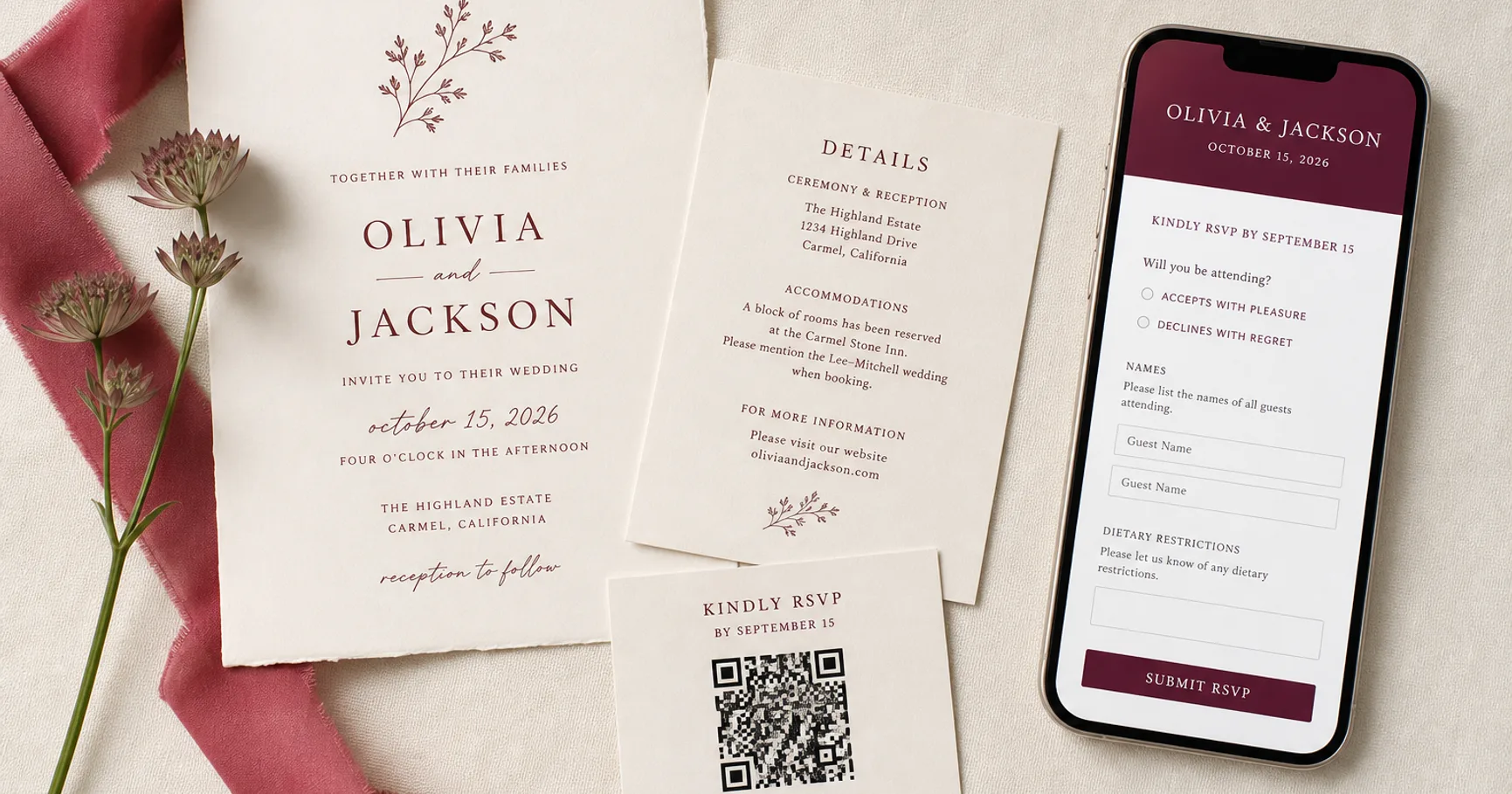
A wedding RSVP with QR code is a digital guest reply form that opens when someone scans a printed QR code (or taps a shareable link). Guests confirm attendance, share party size when needed, and select events or meal preferences — all from a mobile-friendly page.
Weddnesday’s product name for this is RSVP with QR (also called RSVP with QR Code). It is built for couples who want a modern digital RSVP for paper invitations, save-the-dates, RSVP cards, or reception signs — without building an entire wedding website first.
👉 Product page:
https://weddnesday.com/rsvp-with-qr
Who Is RSVP with QR For?
RSVP with QR is a strong fit if you:
- Are sending paper invitations and want guests to reply by phone instead of mailing a card
- Need an online wedding RSVP link without publishing a full site
- Want a printable wedding RSVP QR for invitations, details cards, or welcome signs
- Prefer a one-time $9 cost instead of a subscription just for guest replies
- Already have a Weddnesday Free (or paid) account and want RSVP tracking with export
You can also use RSVP with QR alongside a Weddnesday wedding website. The products are independent — website RSVP and standalone QR RSVP can coexist.
How Much Does Weddnesday RSVP with QR Cost?
RSVP with QR costs $9 USD one time per RSVP. Drafting and editing are free. Payment activates your live guest link, printable QR code, unlimited guest responses, email alerts, and exports.
- No monthly fee for this product
- Works on any Weddnesday plan, including Free
- Buying RSVP with QR does not change your website subscription
- If you need more than one RSVP (for example engagement party + wedding), each activated RSVP is $9
👉 Shop listing:
https://weddnesday.com/shop
What You Get with RSVP with QR
Every activated Weddnesday RSVP with QR includes:
- Customizable online RSVP form — headline, couple names, intro, thank-you message, attendance labels, optional events and meal options
- Fonts and colors you can match to your stationery
- Shareable guest link on Weddnesday (short path guests can open on any phone)
- Printable QR code as high-contrast PNG and SVG for invitations and signs
- Unlimited guest responses once activated
- Dashboard tracking so you can review replies in one place
- Email alert to you when a guest submits
- CSV and PDF export for planners, venues, and seating work
- Optional open date so guests cannot reply before you are ready
Photos stay off the critical path: this product focuses on collecting clear guest replies, not hosting your full wedding story.
How Wedding RSVP with QR Works (Step by Step)
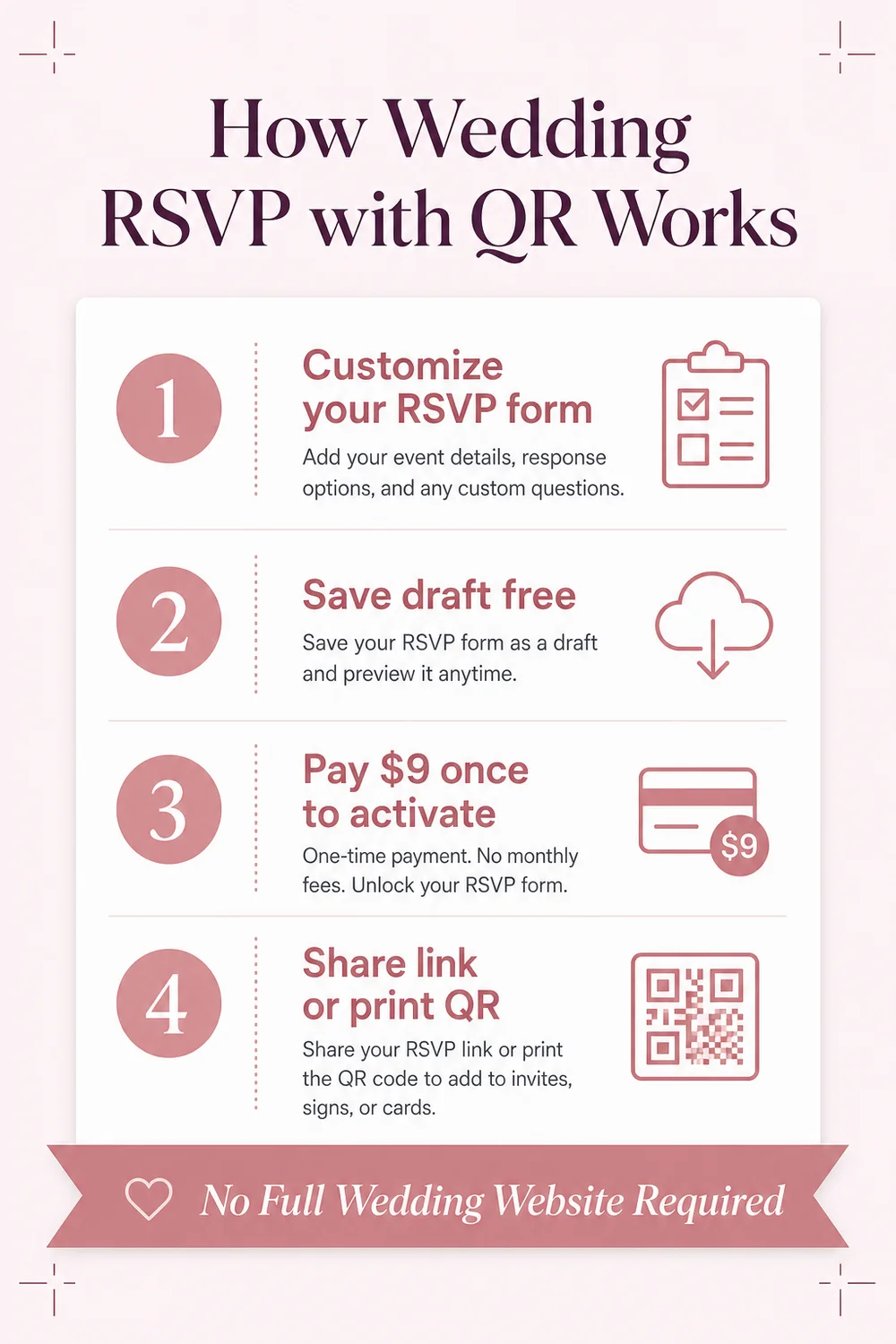
- Sign in to Weddnesday — an account is required to create, edit, and activate an RSVP.
- Create your RSVP form — customize labels, sections, fonts, and colors. Toggle guest email, party size, events, and meals as needed.
- Save as a free draft — your form stays inactive until you pay.
- Pay $9 once to activate — Stripe Checkout unlocks the live link and printable QR.
- Share the link or print the QR — add the code to invitations, RSVP cards, save-the-dates, or signs. Print a short written URL nearby as a backup for guests who prefer not to scan.
- Track replies — watch responses in your dashboard, get email alerts, and export CSV/PDF when you need a guest list for vendors.
Most couples can set up a draft in about 10 minutes.
👉 Create yours:
Start RSVP with QR
Where to Put a QR Code RSVP on Wedding Stationery
Place the QR where guests expect next steps — and label it clearly so people know what scanning does.
- Main invitation: If space is tight, put the QR on a details or RSVP card instead of crowding the invite.
- Details / RSVP card: Best default placement for “Scan to RSVP” wording.
- Save-the-dates: Useful when you want early replies or early travel awareness.
- Welcome signs / reception signage: Help day-of guests find the form for last-minute party updates if needed.
- Welcome bags: Handy for out-of-town guests who may still need to confirm.
Always print a short URL next to the QR. That backup reduces friction for guests who do not use camera scanning.
For broader QR placement ideas across a full wedding website (schedule, travel, registry), see our related guide: Wedding Website QR Code Guide.
Suggested Wording for a QR Code Wedding RSVP
Keep invitation wording short. Guests should understand the action in one glance.
- Simple: Scan to RSVP online.
- With deadline: Kindly RSVP by scanning the QR code by May 1.
- With backup URL: Scan to RSVP, or visit weddnesday.com/r/your-link.
- Details card: Please reply online using the QR code below. Meal preferences and guest count can be submitted on the same form.
- Adults-only note (if needed): We kindly request an adults-only celebration. Please RSVP for the guests named on your invitation.
Need more RSVP question ideas? Read Wedding RSVP Questions: What to Ask Guests.
RSVP with QR vs Wedding Website RSVP
Both collect guest replies. They solve different planning needs.
- RSVP with QR — standalone form + printable QR + shareable link. Best when paper invitations (or a simple digital reply) are the priority and you do not need a full website yet. $9 one-time per RSVP. Works on Free.
- Wedding website RSVP — guest replies live inside your Weddnesday wedding website alongside story, schedule, travel, gallery, and more. Best when your website is the guest hub. Included with website plans (advanced guest-list tools improve on paid plans).
Can you use both? Yes. Some couples keep a Weddnesday website for details and still print a QR RSVP on paper invitations for faster replies.
If you want the full site experience, browse wedding website templates or try AI Wedding Assistant to draft romantic copy by chat.
Is a QR Code RSVP Guest-Friendly?
Yes — when the form is mobile-first, labeled clearly, and tested before print. Guests already use phone cameras for menus, boarding passes, and tickets. A wedding RSVP QR feels modern and practical when:
- The QR is large enough and high-contrast for print
- Wording says “Scan to RSVP” (not a vague “Scan for more”)
- A written URL sits next to the code
- The form asks only what you need (attendance, party size, events, meals)
Weddnesday’s printable QR downloads are designed for high-contrast print so scanners read cleanly on invitation paper.
Do You Need a Wedding Website for RSVP with QR?
No. RSVP with QR is a standalone product. You do not need to publish a Weddnesday wedding website to collect replies. Create the form, activate for $9, share the link or print the QR, and track responses in your dashboard.
If you later want a full site for travel, dress code, registry, and story sections, you can still add a Weddnesday website on Free or a paid plan without replacing your QR RSVP.
Tips Before You Send Invitations to Print
- Activate your RSVP before final print proofs so the live QR and URL are locked and tested.
- Scan the printed QR from a phone camera under normal indoor light.
- Submit a test response and confirm your email alert arrives.
- Export a sample CSV/PDF so you know how the guest list will look for your planner or venue.
- Set an optional open date only if you truly need to delay replies.
- Keep meal and event options short — fewer choices usually mean better completion rates.
For deadline wording examples, see Wedding Website RSVP Deadline Wording.
Wedding RSVP with QR Code — FAQ
What is Weddnesday RSVP with QR?
RSVP with QR is a standalone online wedding RSVP form with a shareable link and printable QR code. Couples customize the form, pay $9 once to activate, then collect unlimited guest responses with dashboard tracking, email alerts, and CSV/PDF export — no full wedding website required.
How much does a QR code wedding RSVP cost on Weddnesday?
$9 USD one time per RSVP. Drafting is free. Payment activates the live link and printable QR.
Can I put the QR code on my wedding invitations?
Yes. Download the high-contrast PNG or SVG and place it on invitations, details cards, RSVP cards, save-the-dates, or signs. Print a short URL beside it as a backup.
Do I need a wedding website?
No. RSVP with QR works without publishing a wedding website and is available on any plan, including Free.
Is there a guest limit?
No. An activated RSVP with QR supports unlimited guest responses.
Can I create more than one RSVP?
Yes. Each RSVP (for example engagement party and wedding) has its own link, QR code, and $9 activation.
How is this different from a wedding website QR code?
A wedding website QR opens your full published Weddnesday site — schedule, travel, RSVP, and more — and is free to download from your dashboard after you publish. RSVP with QR opens a dedicated guest reply form designed for paper invitations when you mainly need attendance responses without a full website.
Get Started
If you want a digital RSVP for paper invitations without building a full wedding website, Weddnesday RSVP with QR is the simplest path: customize once, pay $9, print the QR or share the link, and track every reply.
- Visit RSVP with QR
- Create and customize your form
- Activate for $9 and print your QR code
Paper invitations. Modern RSVP. Unlimited guests.
Save These Guides for Later
How to Share Your Wedding Website with Guests
Stay Connected
Follow Weddnesday for weekly planning tips, wedding website ideas, and guest-friendly wording examples.
Save This on Pinterest